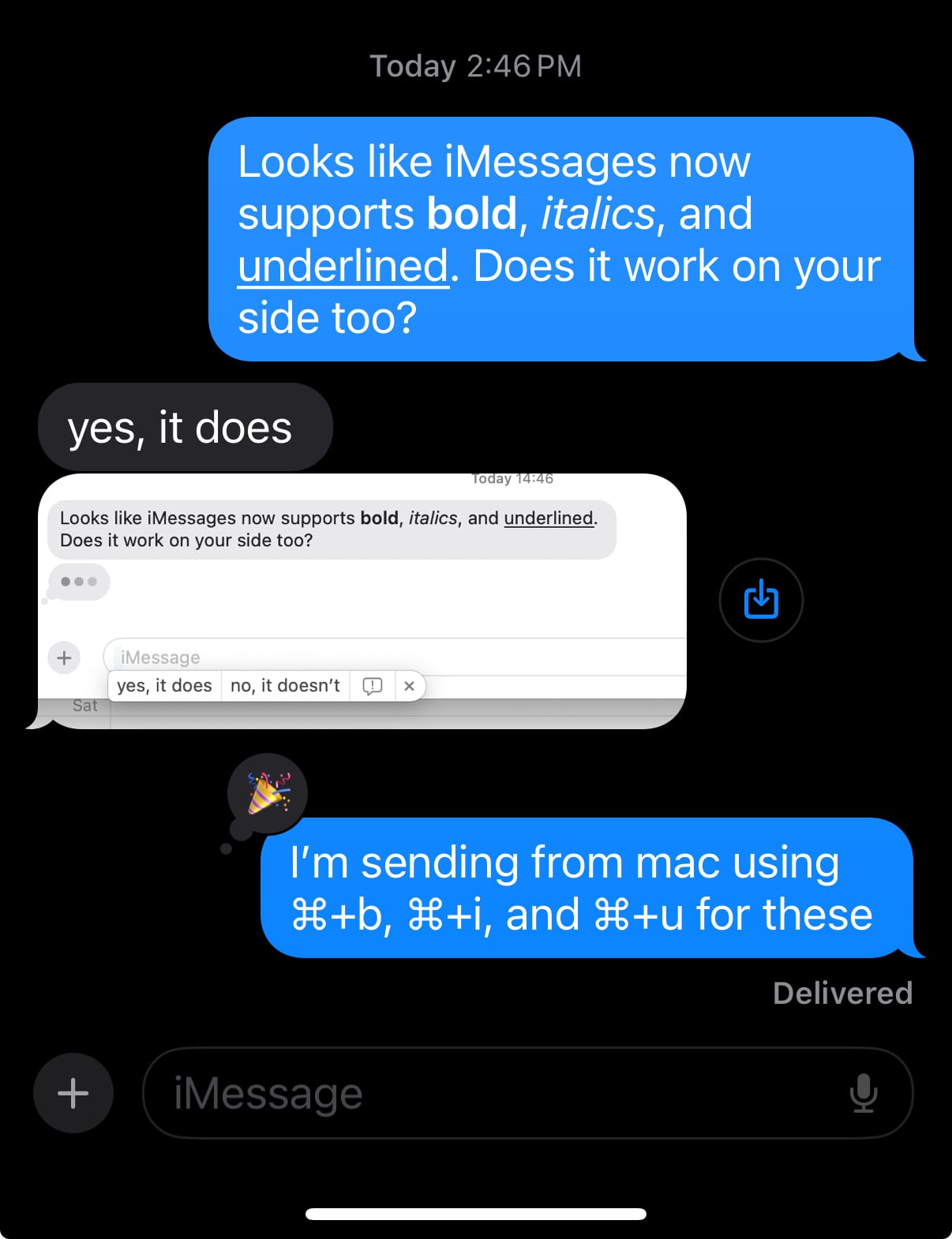
Formatting messages in iMessages (in iOS 18)

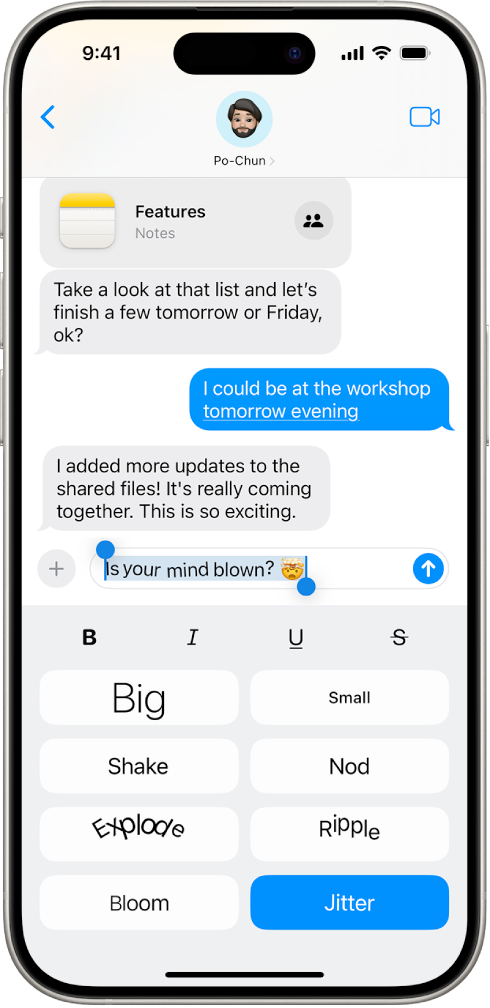
With iOS 18 and other recent Apple OS releases, Apple announced animated and formatted messages. At first, on iOS this looks like this:
But I wanted to share some more interesting shortcuts that I discovered on macOS by accident, you can actually format your messages using traditional text formatting shortcuts:
Command + b for bold.
Command + i for italics.
Command + u for underline.
There's also Command + t for tapback and Command + r for reply, these both apply to the last message you received. You can also edit your last message with Command + e.